Finder-native GIS preview for macOS
Open GIS files on Mac. Press Space.
Preview GeoJSON, Shapefile, GeoPackage, KML, LAS, DXF, and more in Finder and Quick Look. See the map, inspect layers and attributes, and export supported formats without opening QGIS or ArcGIS.
Local on your Mac. No uploads. No browser viewer. No full GIS launch just to confirm one file.
- Finder Preview Pane
- Quick Look
- Layers and attributes
- Local-only workflow
Built for the file checks that should take seconds, not a full GIS session.
- Finder-nativeOpen files where they already live.
- GPU-poweredSmooth map and point-cloud previews with real interaction.
- Local-onlyNothing leaves your Mac unless you choose to export it.
- Built for handoffsUseful for client, survey, field, and engineering files.
How It Works
Select the file. Press Space. Decide quickly.
Receive the file
A GeoJSON, GeoPackage, LAS, DXF, KML, or dataset folder lands in Finder like any other file.
Preview it in Finder
Use Quick Look or the Preview Pane to inspect the map, layers, metadata, and geometry without leaving Finder.
Export if you need a deliverable
Use the Finder Quick Action for supported formats and keep moving without opening a full GIS project.
Why GeoPreview
For the file checks that should not become a full GIS session
Most GIS work does not start with editing. It starts with a file drop and one question: what is this, and is it the right file?
Open files where they already live
Use Finder, Quick Look, and the Preview Pane instead of importing every file into a full GIS project.
See the map and the details that matter
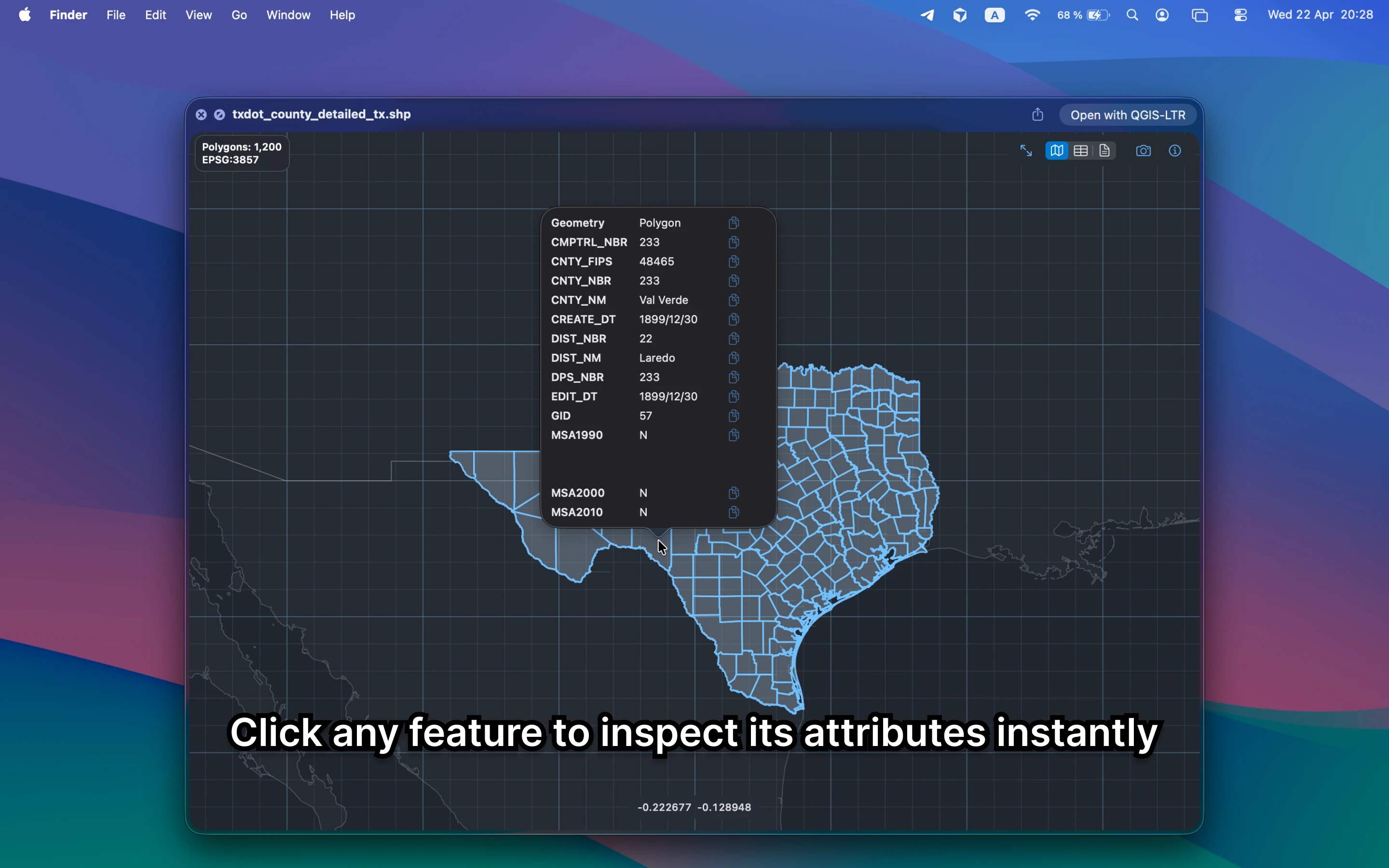
Inspect geometry, layers, metadata, and attributes instead of staring at a generic icon or raw text.
Export when the handoff needs it
Use the Finder Quick Action for supported formats when you need a deliverable, not a bigger workflow.
Built for real mixed-format work
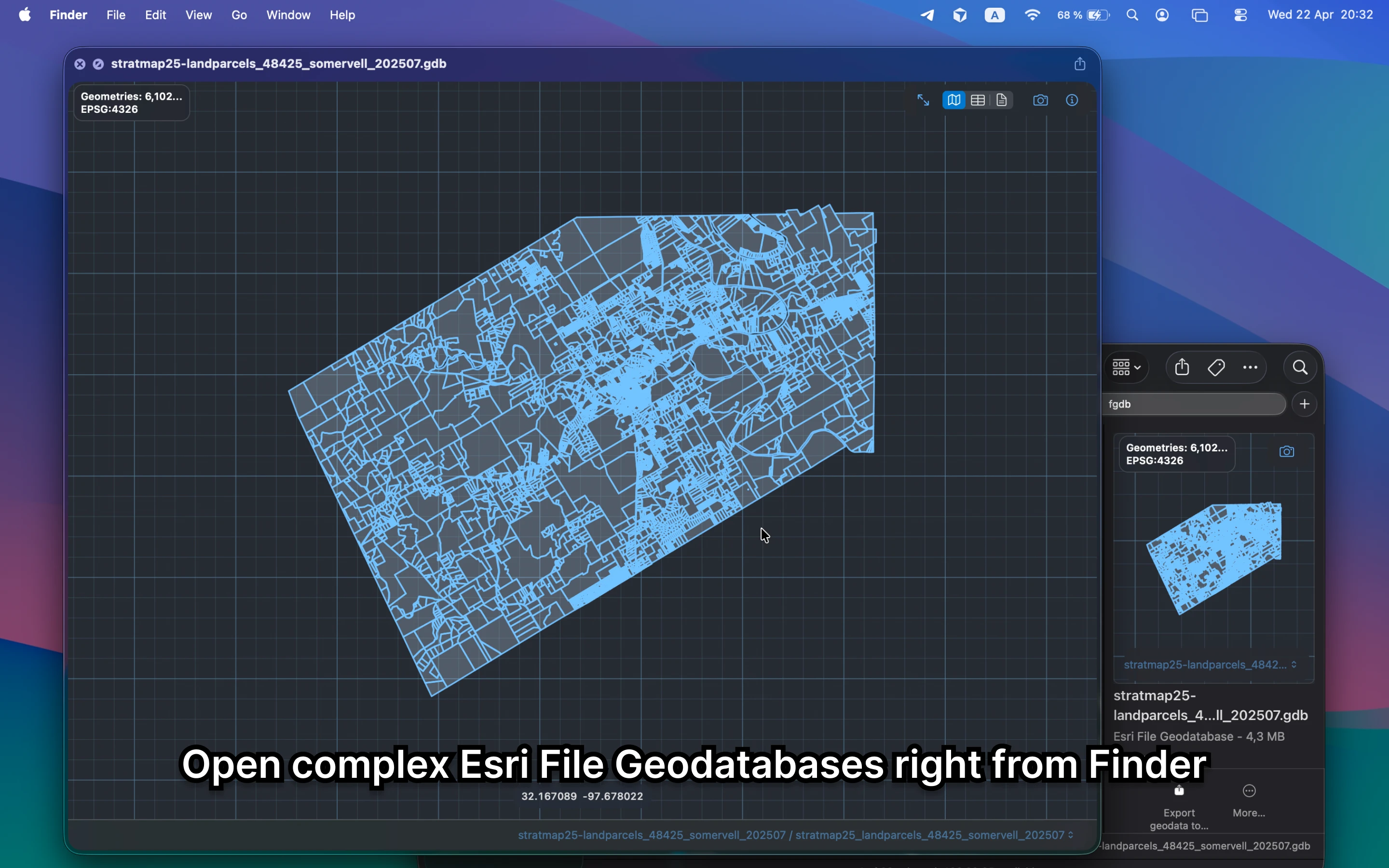
GeoJSON, GeoPackage, LAS, KML, DXF, File Geodatabases, and the other files people actually send around.
Trusted across the World
Get your instance

Where It Helps
Four moments where GeoPreview saves time
Quick Look, attributes, File Geodatabases, and LiDAR are where the Finder workflow becomes genuinely useful.
Ready to skip the full GIS launch?
Preview geodata in Finder and keep your files local
Use GeoPreview for the quick map check, the attribute check, and the simple supported handoff.
Preview
See the Finder workflow in motion
Open the file, inspect it locally, and move on with a clear answer.
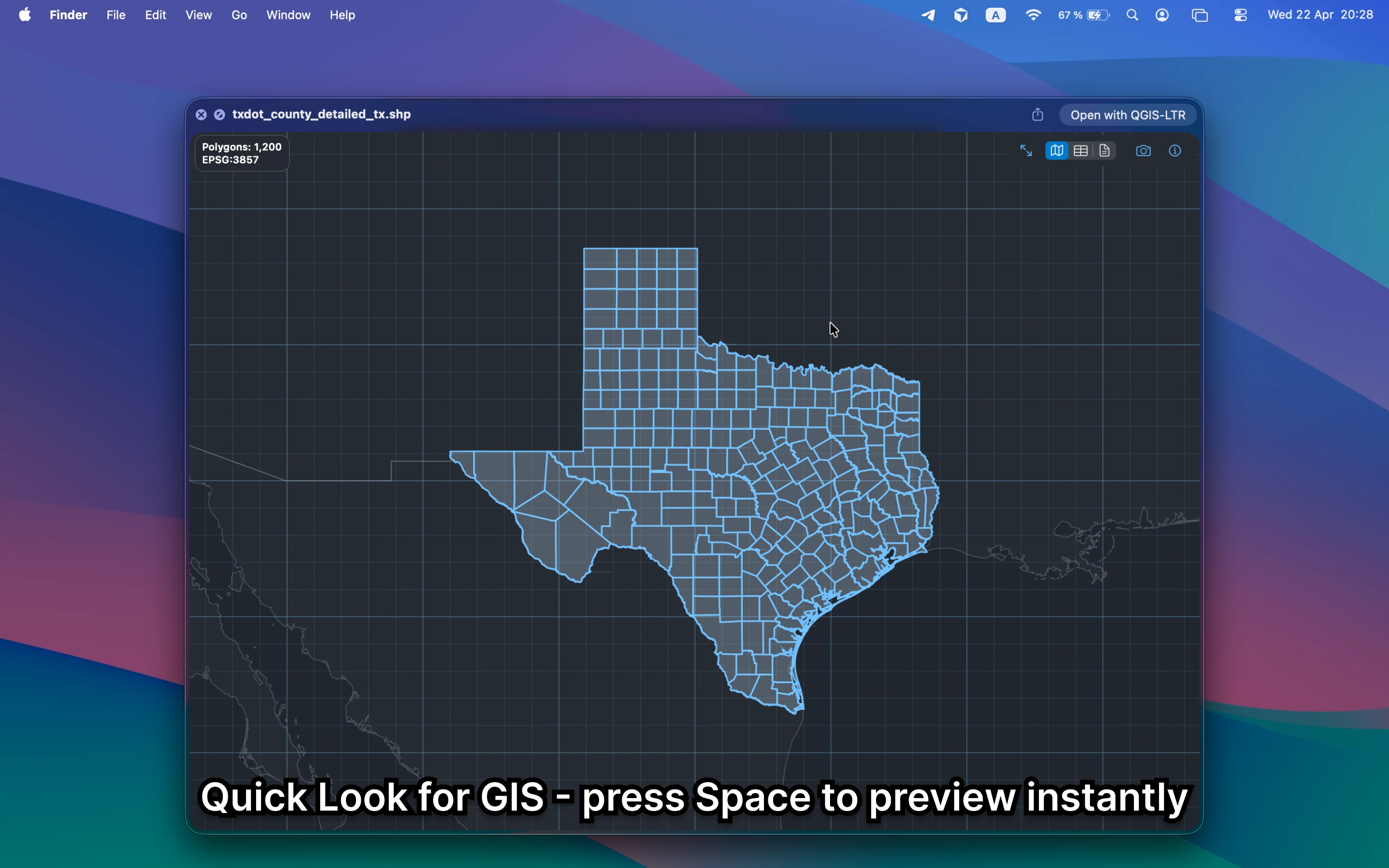
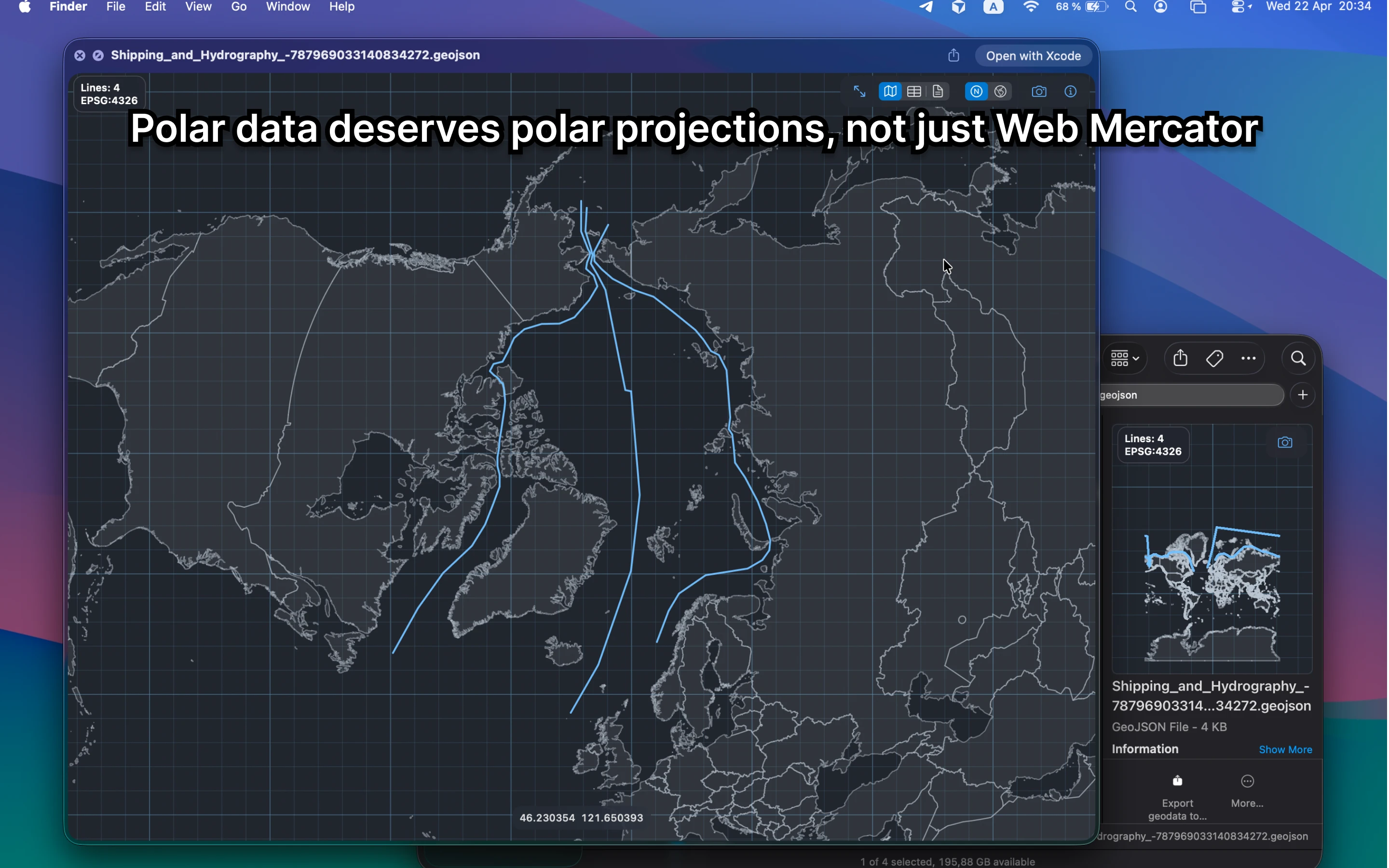
Quick Look
Press Space and inspect the file immediately
Open a GIS file from Finder, see the map, and understand what is inside without building a project or sending data anywhere.
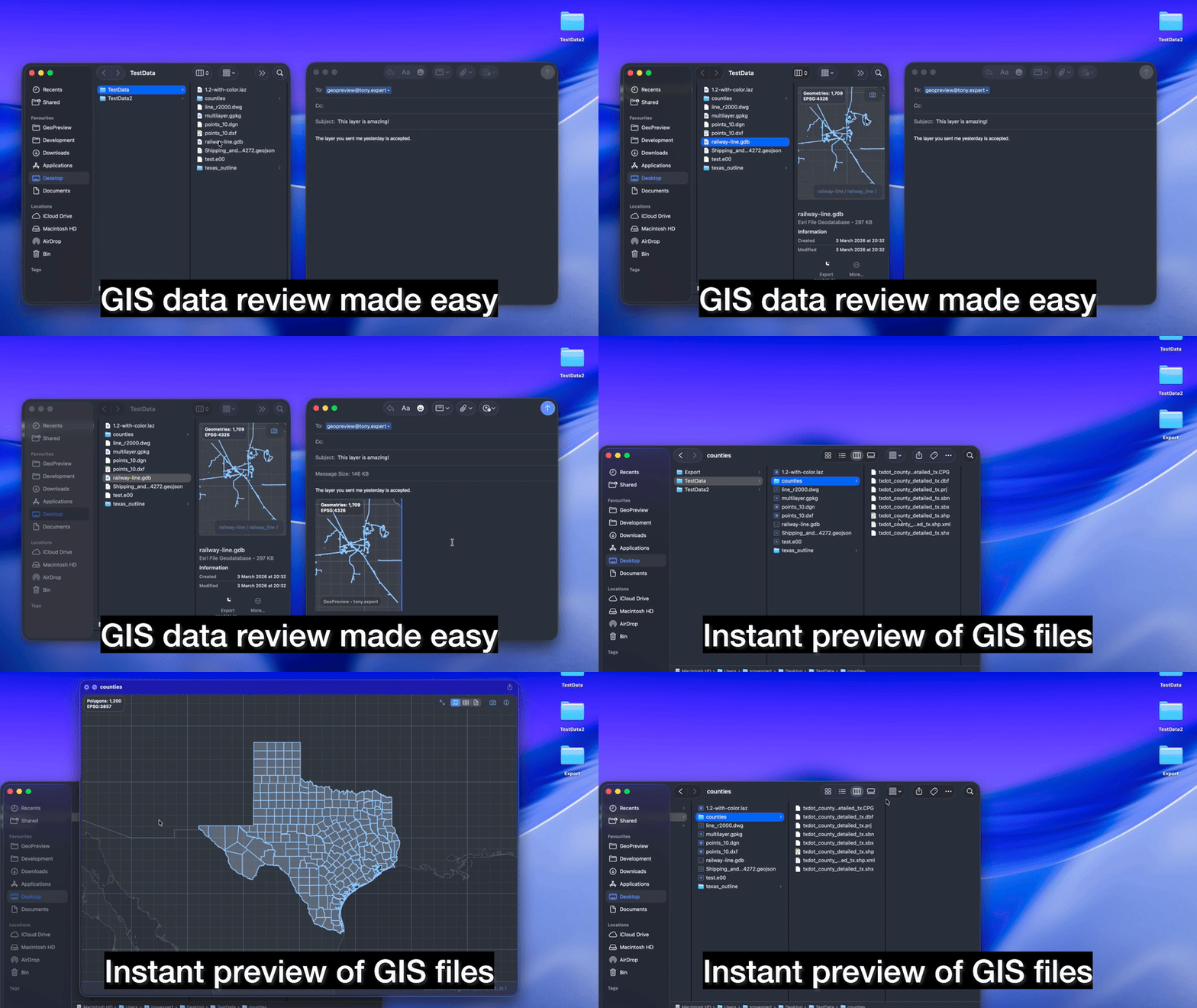
Review loop
Review the data fast and share the answer
Confirm the file, inspect the geometry, and hand off a clear answer without taking a detour through a bigger GIS workflow.
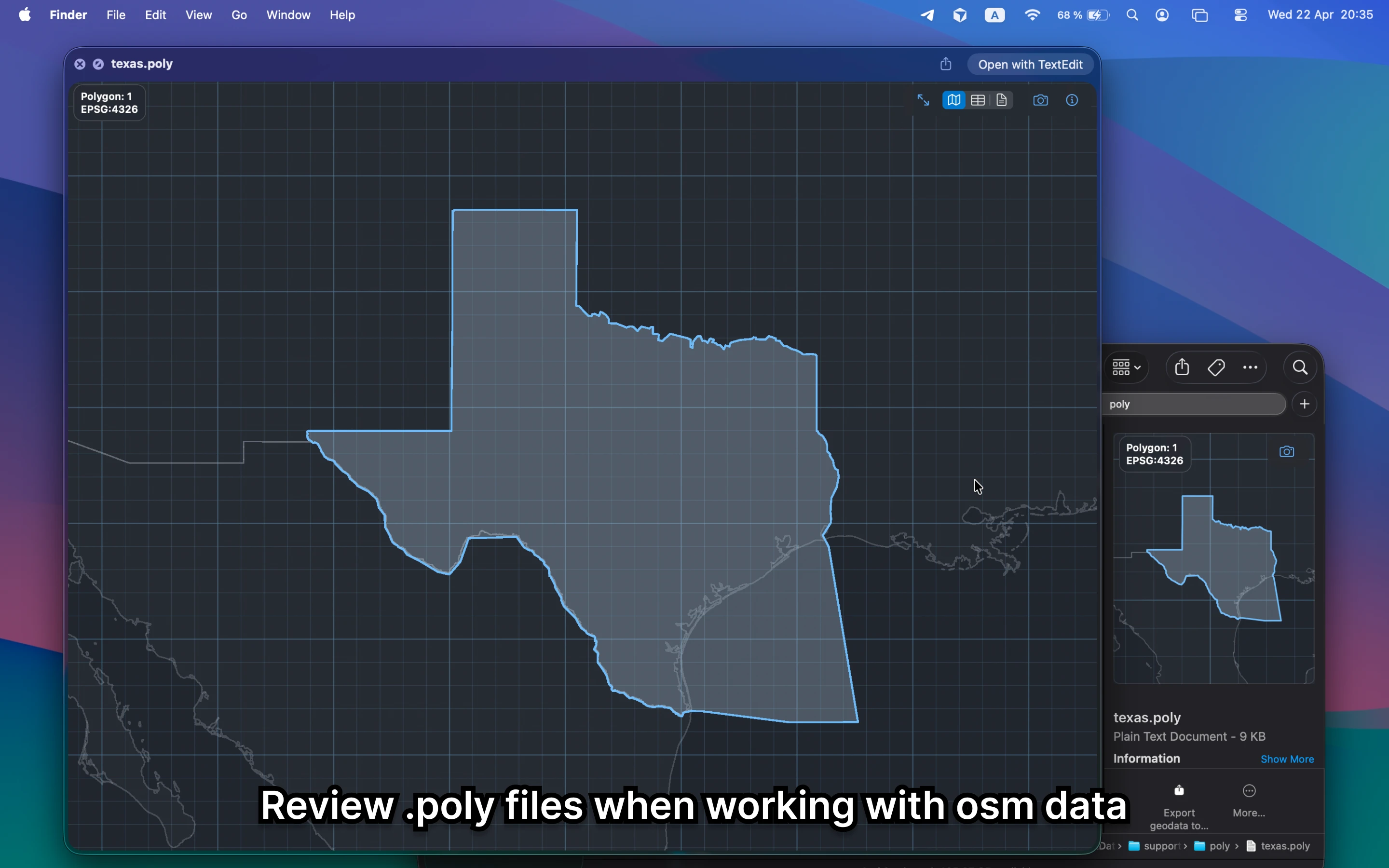
Real file variety
From File Geodatabases to OSM support files, GeoPreview is made for mixed geospatial workflows
Export
When you need a deliverable, the Quick Action is right there
Preview stays the main workflow. Export is there for the moments when you need to send out a supported format quickly.
Watch the export flow in action
Choose a supported target format and save it directly from Finder.
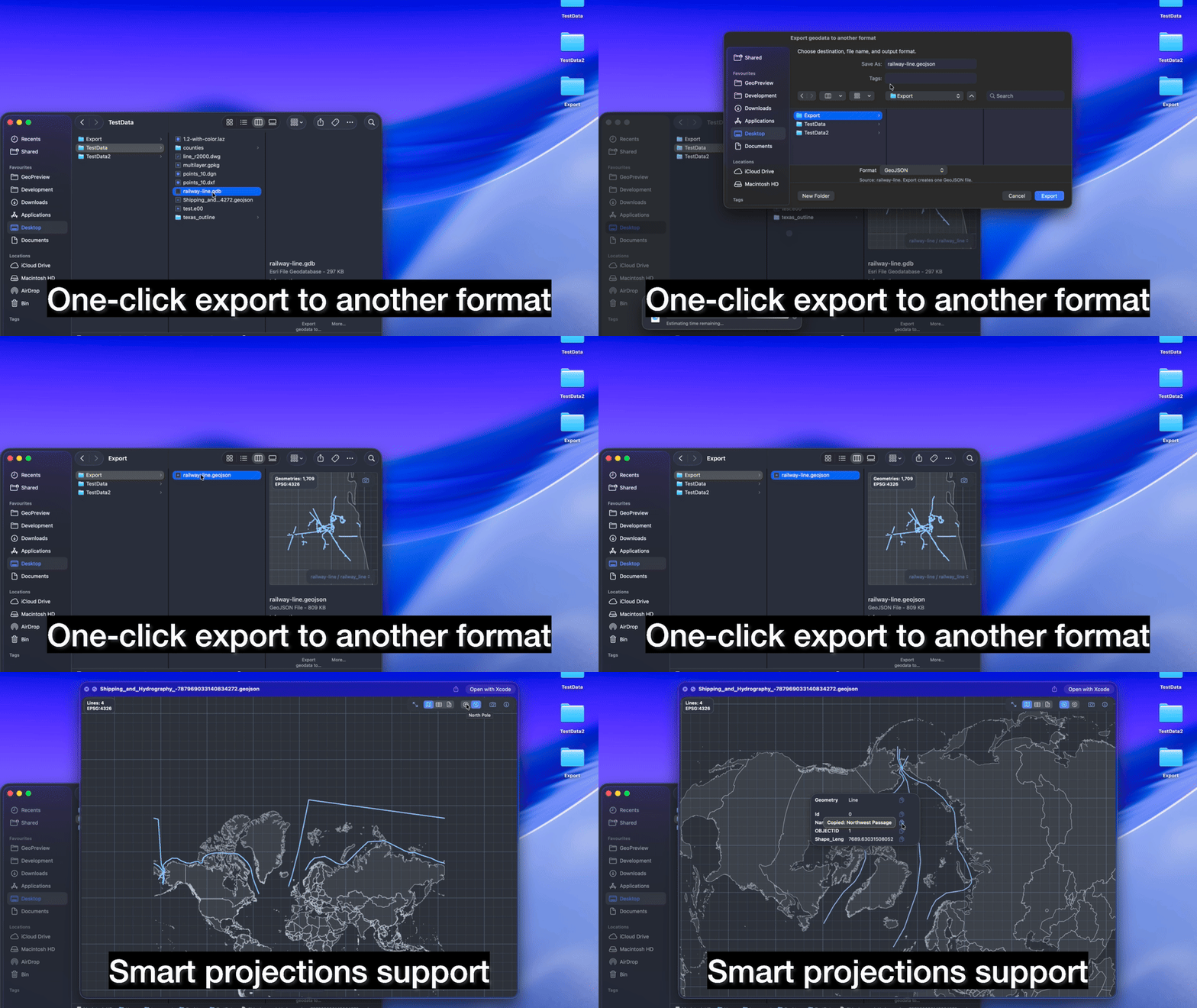
Convert the file and move on
When you need a quick handoff, export a supported format right from Finder.
Use Finder for the quick check
Open the file. Inspect it. Export if needed.
GeoPreview keeps the first minutes of a GIS workflow fast, local, and easy to trust.
Formats
Open common GIS, CAD, LiDAR, and dataset-folder formats on Mac
Coverage varies by format and by the file itself.
GIS and web vectors
Exchange and survey formats
Point clouds and tiled data
Dataset folders and practical workflows
Formats marked with an asterisk are still experimental. Feedback is welcome.
Start with GeoPreview
Use GeoPreview for the first answer
- Open the file directly from Finder
- Check whether the data is usable
- Inspect layers, metadata, and projection
- Preview maps and point clouds quickly
- Keep sensitive files local while you inspect them
- Export only when you are ready to hand something off
Use full GIS for deep work
Open QGIS or ArcGIS when the job is bigger
- Complex editing and schema changes
- Cartography and print layouts
- Deep analysis pipelines
- Project-based workflows with many layers and tools
- Advanced modeling, processing, and plugins
FAQ
Questions people ask before opening GIS files on Mac
Start in Finder, inspect what matters, and save the full GIS stack for the work that actually needs it.
How do I open GeoJSON on Mac?
Select the file in Finder, open the Preview Pane or press Space, and GeoPreview renders the map and key metadata right on your Mac.
How do I preview a Shapefile or GeoPackage without QGIS?
Yes. GeoPreview opens supported geospatial formats in Finder and Quick Look, so you can inspect them before deciding whether a full GIS session is necessary.
Can I export geodata from Finder on Mac?
Yes. GeoPreview includes a Finder Quick Action for supported exports, which is ideal for quick conversion and delivery tasks while keeping the review workflow local and simple.
Does GeoPreview work offline?
No. GeoPreview works locally on your Mac, so you can inspect files without uploading them to a browser or cloud service.
When should I use GeoPreview instead of QGIS or ArcGIS?
Use GeoPreview when you need to open a file, confirm the data, inspect layers or attributes, or export a supported format quickly. Use QGIS or ArcGIS when the work moves into editing, analysis, or cartography.
Get GeoPreview
Open GIS files on Mac without opening a full GIS app first
Preview maps, layers, attributes, and metadata in Finder. Keep full GIS apps for the work that actually needs them.